In this example, I will demonstrate how to use the object container and dependency injection in a browser application. The example uses my own library, @teqfw/di.
Unlike the previous example with a console application, here we will not have a server-side part at all. Our entire application consists of static files that are loaded into the browser and executed there. I will base my example on the familiar ToDo List application.
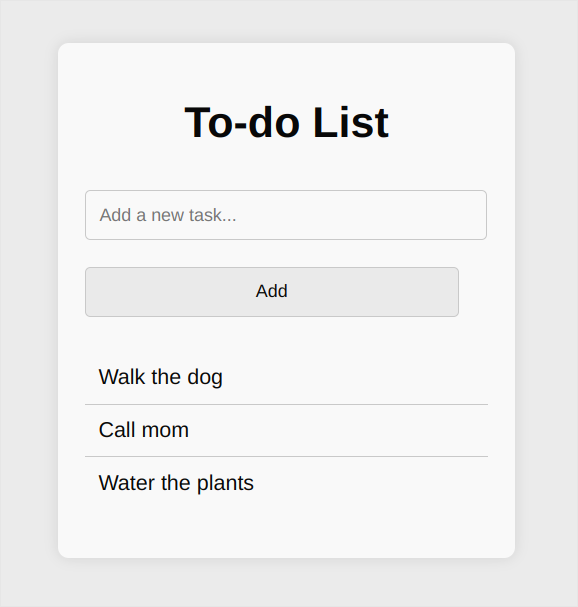
The ToDo List app
An application written in pure JS using ES6 modules has a significant advantage, at least for me, over applications written in TS - in the browser, I see the same files as in the IDE:
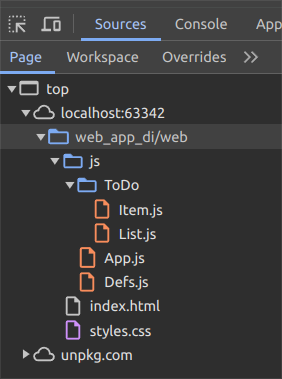
The sources in a browser
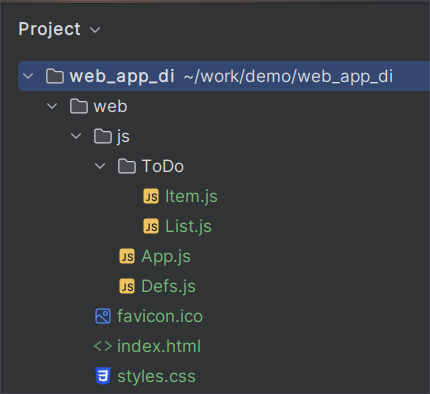
The sources in an IDE
Below, I will describe the most important points.
Connecting the Object Container
The @teqfw/di library can be connected as ES6 modules by loading the sources, for example, from unpkg.com:
<script type="module">
  import Container from 'https://unpkg.com/@teqfw/di';
</script>
Creating and Configuring the Container
A feature of my Object Container is that you cannot pre-store objects in it. The container itself computes the path to the source files based on the dependency identifier using a Resolver.
After creating a new instance of the Container, you need to configure
the Resolver so that it loads ES6 modules from the ./js directory for
the Demo namespace:
const container = new Container();
const root = new URL(location.href).href.replace('index.html', '');
const resolver = container.getResolver();
resolver.addNamespaceRoot('Demo', root + '/js');
Thus, dependency identifiers resolve to the following paths:
- Demo_App => https://…/js/App.js
- Demo_Defs => https://…/js/Defs.js
- Demo_ToDo_Item => https://…/js/ToDo/Item.js
- Demo_ToDo_List => https://…/js/ToDo/List.js
Initializing the Application
To obtain a singleton instance of the application from the container,
you need to specify its identifier Demo_App$. The $ symbol at the
end of the identifier indicates that a singleton object is needed:
const app = await container.get('Demo_App$');
app.run();
The @teqfw/di container supports several identifier schemes and path-resolution rules:
“Out of the box,” the following dependency identifier structures are supported
Demo_App=> the default export as-is;Demo_App$=> the singleton made from the default export (the container returns the same object each time);Demo_App$I=> the instance made from the default export (the container creates a new object each time);Demo_App.=> the Module object;Demo_App.export=> the named export as-is;Demo_App.export$=> the singleton made from the named export;Demo_App.export$I=> the instance made from the named export;
Describing Dependencies
In the application code, static import is used only to load the object container itself. The linking of other application modules is done through dependency identifiers.
The Singleton
Dependencies of an object are set in its constructor:
export default class Demo_App {
  constructor({Demo_Defs$: defs, Demo_ToDo_List$: list}) {
    this.defs = defs;
    this.list = list;
  }
}
The object container loads the modules, creates the singleton objects, and passes them to the application constructor.
The Class (as-is)
export default class Demo_ToDo_List {
  constructor({Demo_ToDo_Item: ToDoItem}) {
    this.item = new ToDoItem();
  }
}
Here the container returns the default class export as-is. The
Demo_ToDo_Item constructor has no parameters, so Demo_ToDo_List can
instantiate it directly.
Summary
The @teqfw/di library
is intended for using enterprise-level technologies (object container,
namespaces) when creating browser applications (SPA, PWA). To run the
demo application, you need to upload the ./web/ folder to any web
server or open the folder in a browser with local file access enabled
via the file:// URL.
The main advantage of using the object container is the late binding of objects in the program during its execution, rather than at the time of writing. This practice is clearly redundant for static web applications and small-sized applications. Its benefits are revealed when developing large applications or applications consisting of a large number of modules (packages). An additional bonus is the ability to use the same code both on the front end (in the browser) and on the back end (nodejs).
If you are interested in the Tequila Framework platform and have a commercial proposal, I will be happy to develop an application for you at 30 euros/hour. If you have an educational or humanitarian project, I will help you for free.