---
title: "Launching Web Apps Without Own Servers: How ESM and CDNs Are Changing the Game"
description: "With the advent of modern web technologies, developers of small web applications no longer need complex infrastructure to deploy them. ES modules and the distribution of libraries"
date: 2024-07-04
---
With the advent of modern web technologies, developers of small web
applications no longer need complex infrastructure to deploy them. ES
modules and the distribution of libraries through CDNs allow
applications to run directly in end-user browsers without the need for
virtual servers or cloud services. Let me show you how it works with a
simple example.
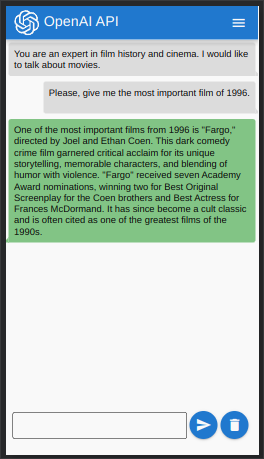
The [web application](https://flancer64.github.io/demo-wa-esm-openai/#/)
I’m demonstrating is an example of using the OpenAI API directly from
the user’s browser:
A sample conversation.
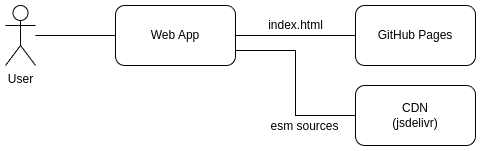
This web application “lives” on the client side, loads the necessary
libraries from the CDN ([jsDelivr](https://www.jsdelivr.com/)), and
communicates directly with the [OpenAI
API](https://platform.openai.com/docs/api-reference/introduction). The
main application file (`index.html`) is hosted on [GitHub
Pages](https://pages.github.com/).
The principal schema
In the modern world, web developers only need to publish their package
in the [npm registry](https://www.npmjs.com/) for it to be accessible to
any user through [jsDelivr](https://www.jsdelivr.com/) or
[Unpkg](https://unpkg.com/) websites.
## Application Description
The application interface is created using the following libraries:
- [Vue](https://vuejs.org/)
- [VueRouter](https://router.vuejs.org/)
- [Quasar UI](https://quasar.dev/)
The application connects to the OpenAI API using the corresponding
library ([openai](https://www.npmjs.com/package/openai)) and allows a
conversation with one of the available ChatGPT models. The application
navigation is very simple:
The navigation
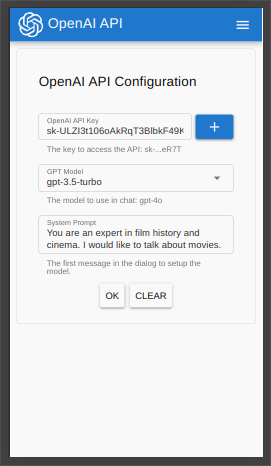
The application configuration involves specifying the access key for the
OpenAI API, selecting the model, and the system prompt to start the
conversation:
The configuration
Each user must generate their own API key on the OpenAI website. The key
is stored in the browser’s local storage and is not shared with third
parties. However, it is recommended to invalidate the key on the OpenAI
website after using it in the demo application.
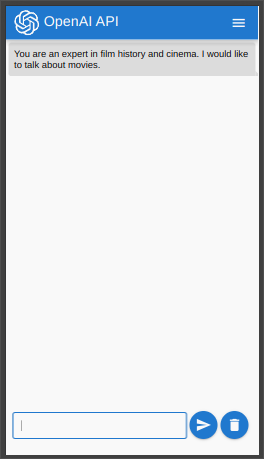
The main mode of operation for the application is a standard chat:
The chat
The “Delete” button resets the current dialogue and returns it to its
initial state.
## Key Points in Development
## index.html
The launchpad for the application is very compact:
``` html
```
The `index.html` file solves the following tasks:
- Configures the `importmap` so that the browser can handle imports in
nodejs style: `import * as Core from ‘openai/core’`.
- Loads additional resources (styles, fonts) used in the application.
- Loads the application source code (`@flancer64/demo-wa-esm-openai`
package) from jsDelivr CDN, creates the application, and mounts it to
the page.
## @flancer64/demo-wa-esm-openai
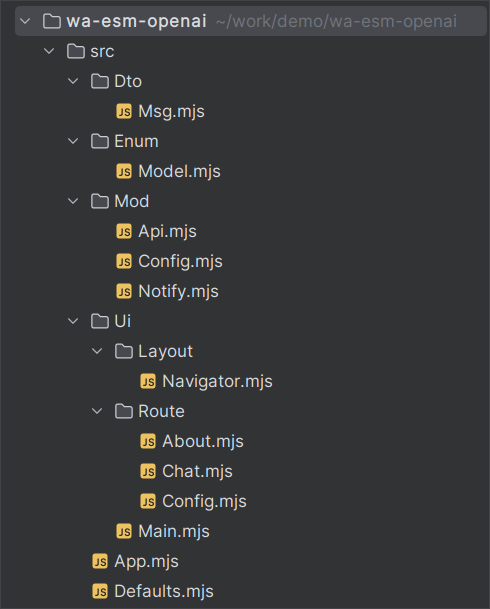
The main code of the web application is in the [@flancer64/demo-wa-esm-openai](https://www.npmjs.com/package/@flancer64/demo-wa-esm-openai)
package. Each JavaScript source file in the package is an ES module:
The sources of the app package
Files in the `./Mod/` directory are models that perform certain actions
in the application. Files in the `./Ui/` directory are Vue components.
The most interesting file is `./src/App.mjs`, as it is where the
libraries are loaded and the application is initialized.
``` js
import * as Vue from 'https://cdn.jsdelivr.net/npm/vue@3.4.31/dist/vue.esm-browser.prod.js';
import {createRouter, createWebHashHistory} from
'https://cdn.jsdelivr.net/npm/vue-router@4.4.0/dist/vue-router.esm-browser.js';
window.Vue = Vue;
await import('https://cdn.jsdelivr.net/npm/quasar@2.16.4/dist/quasar.umd.prod.js');
const Quasar = window.Quasar;
const routes = [
{path: DEF.ROUTE_ABOUT, component: () => import('./Ui/Route/About.mjs')},
{path: DEF.ROUTE_CONFIG, component: () => import('./Ui/Route/Config.mjs')},
{path: DEF.ROUTE_HOME, component: () => import('./Ui/Route/Chat.mjs')},
];
const router = createRouter({history: createWebHashHistory(), routes});
const app = Vue.createApp(Main);
app.use(router);
app.use(Quasar, {config: {dark: false}});
export default app;
```
Vue and Vue Router provide ESM builds; the Quasar version shown here is
UMD and needs `window.Vue` before its dynamic import.
Interestingly, we use lazy loading of the source code for Vue components
when configuring the router:
``` js
const aboutRoute = {path: '/about', component: () => import('./Ui/Route/About.mjs')};
```
This loads a route’s ES modules and dependencies when the user navigates
there, rather than at application startup.
## View from the Browser
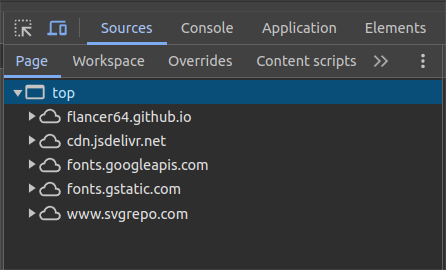
As seen in the `Sources` tab of the ‘Developer Tools’ panel in Chrome,
all resources on the page are obtained from public sources:
The resource sources
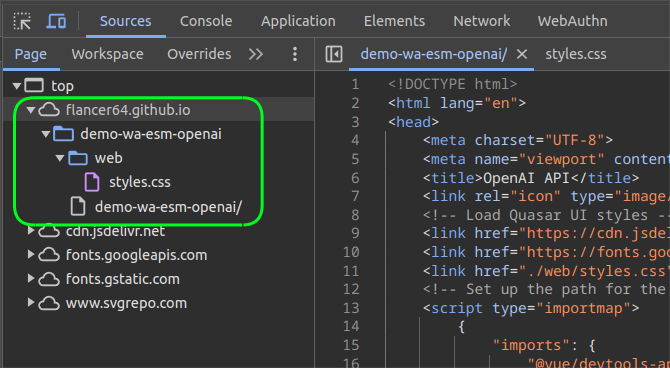
### GitHub Pages
There are only 2 resources hosted on this site: styles and `index.html`:
GitHub Pages
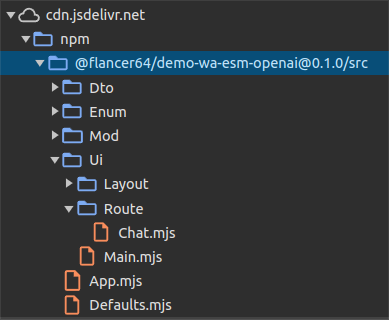
### CDN for NPM Packages
The sources loaded through jsDelivr mirror the directory/file structure
seen in the IDE:
Own ESM sources
Note the `./Ui/Route/` directory — I have not navigated to routes other
than `./`, so only `./Chat.mjs` (the Vue component for this route) is
loaded in the browser. The remaining Vue components and their ES modules
will be loaded as the user navigates to the corresponding routes.
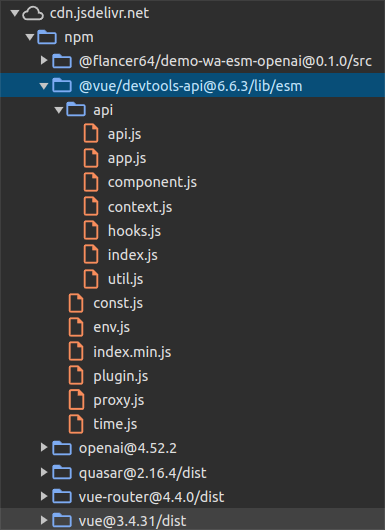
Here’s an example of loading the sources for a third-party package that
supports ES modules:
The 3rd party ESM resources
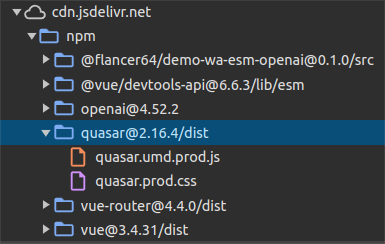
And here’s an example of sources from a package that supports UMD
modules:
The 3rd party UMD resources
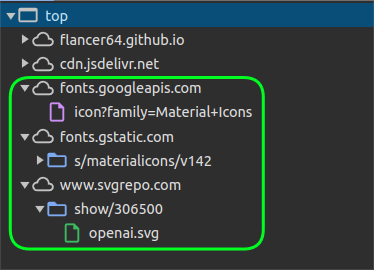
The remaining resources (fonts and images) are also loaded from public
sites:
The fonts and images
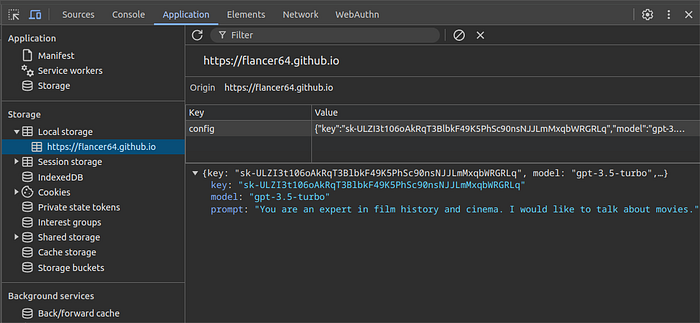
User configuration data is stored in the browser’s local storage:
The local storage
## Conclusion
Using modern technologies, it is not necessary to have your own
resources (virtual servers or cloud space) to create and distribute
small web applications that run on user devices and use third-party
service APIs. Application code can be hosted and distributed through
public services.
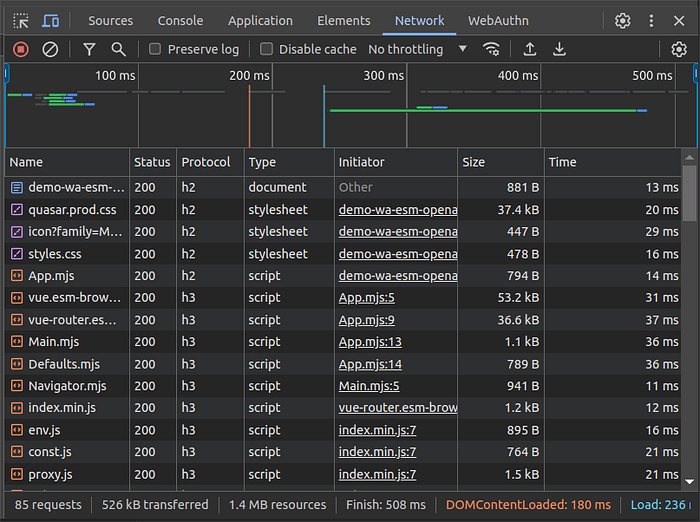
The resource load speed is quite decent, with public services using
modern technologies (protocols h2 and h3):
The Network stats
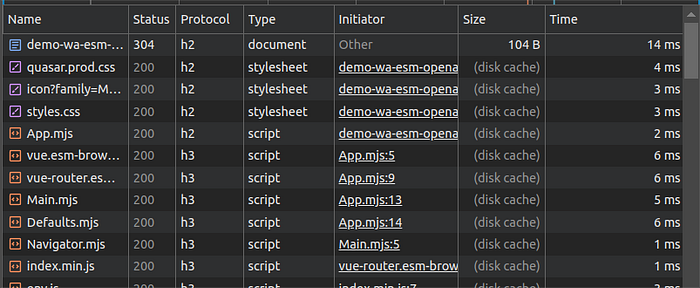
On repeated launches of the web application, resources are used from the
browser cache:
The cache usage
As noted earlier, only the resources directly related to user actions in
the browser are loaded. This allows for staggered loading over time or
even skipping the loading of certain ES modules if, for example, the
user does not have the rights to perform certain actions. There is no
need to assemble custom bundles and perform tree-shaking — only the
modules actually used by the user are loaded from the network.
Developers of your application have access to all the code stored in the
npm registry. Any public ES module can be obtained through a CDN. The
application can be extended on-the-fly directly in the user’s browser
based on their needs. Unfortunately, the downside of such flexibility is
the increased likelihood of malicious code ending up in your
application.
However, if your web application is not too large, if you can afford
open code, and if your user data is not valuable enough to be
specifically targeted, you can host your web applications on public
resources like GitHub Pages and jsDelivr.
Even if your web applications do not meet the above criteria, you can
still benefit from using ES modules during development, loading the
required functionality with high granularity directly into the browser
from your own resources (servers or cloud).
Thank you for reading and have a great day!
Alex Gusev.